Getting Started
Sign up, connect your first brokerage, and understand how OptionsPro syncs and enriches your trades.
This guide gets you from a fresh account to a populated dashboard in about ten minutes.
1. Create an account
- Visit optionspro.com.
- Click Get Started Free to open the sign-up flow, or use the Sign Up Free button in the header.
- Sign up with email and a password, or use one of the social providers offered. Email sign-ups need to be verified via the code sent to your inbox.
- Accept the Terms of Service when prompted. You're then sent to the dashboard.
No credit card is required to create an account. If you'd rather start on Pro, Start 7-Day Free Trial in the landing page's pricing section runs the same sign-up and then continues straight to checkout; see Starting a trial from the marketing site.
A welcome prompt offers a short product tour of the page you land on. Take it or decline it once; either way it won't ask again.
2. Connect a brokerage
OptionsPro uses SnapTrade to read your trade history. Only read access is required - orders are never placed from OptionsPro.
Brokerage linking is a Pro feature. If you're on the free tier, the Brokerages page shows an upgrade prompt instead of the link flow - see step 5 below. Once you have Pro:
- Open Brokerages from the sidebar.
- Click Link Brokerage and pick your broker from the Select Brokerage modal.
- SnapTrade forwards you to your broker's authentication page. Sign in and approve the read-only connection. Some brokers also prompt for a secondary passphrase or 2FA code.
- You're returned to OptionsPro's Brokerages page with the connection listed and an initial sync already in progress.
See Brokerages for the full list of supported brokers, multiple accounts per broker, and reconnect flows.
3. Wait for the first sync
The initial import pulls all available options trades from your account, normalizes them into positions, and detects multi-leg strategies. This usually takes a few minutes, but some brokerages can take up to 30 minutes.
A sync indicator appears in the app header while the import runs - hover it to see per-job progress. The dashboard, calendar, and trades pages populate as data arrives, so you don't need to wait on the Brokerages page.
4. Explore your data
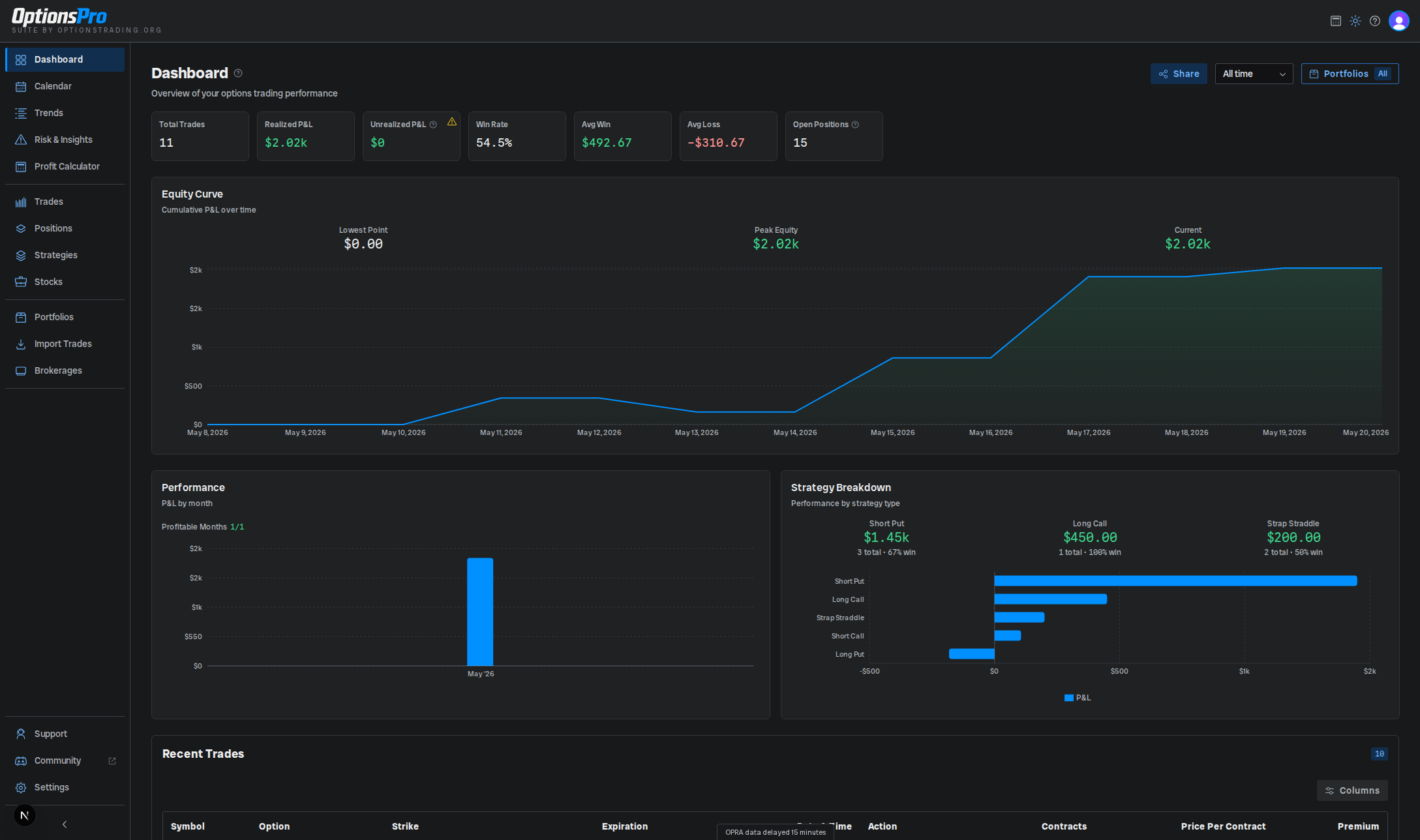
Once syncing finishes, start in the Dashboard for the big picture, then drill into:
- Trades - every executed order, sortable and filterable.
- Positions - what you currently hold, by contract.
- Stocks - your equity holdings alongside your options.
- Strategies - detected spreads and their grouped legs.
- Trends - P&L and win rate sliced by weekday, hour, and DTE.
- Risk & Insights - portfolio Greeks, key risk indicators, and the AI assistant.
5. Go Pro (optional)
The free tier covers manual trade journaling, Trade Import (capped at 500 trades lifetime), the Profit Calculator, and the core dashboard, calendar, trades, positions, and stocks views. Pro unlocks brokerage connections, portfolios, strategies, Trends, Risk & Insights, the AI assistant, and unlimited trade imports.
To upgrade, click the gold Go Pro button in the app header (or any in-app upgrade card). New users are eligible for a 7-day Pro trial. See Subscription for plan details and billing.
Starting a trial from the marketing site
Start 7-Day Free Trial on the public site is one path, not two steps you have to remember to finish. It opens the sign-up flow, and once your account exists - after a social sign-in round trip, a verification link opened in another tab, and the Terms of Service - OptionsPro picks the request back up and takes you straight to the Stripe checkout for the plan you chose, showing Starting your 7-day free trial... while it does.
A few things follow from that:
- The request expires after two hours, so abandoning the sign-up and coming back days later drops you on the dashboard rather than in a checkout you'd forgotten about.
- It's used once. Backing out of the checkout returns you to the app and won't reopen it; go to the Go Pro page when you're ready.
- An account that isn't trial-eligible - it already has Pro, or has used its trial - lands on the Go Pro page instead, with the normal subscribe option.
- Get Started Free never starts a checkout, even if you clicked a trial button earlier in the same visit.
See Subscription for the trial's own terms.
What's next?
- Set up a portfolio to group related trades.
- Tune your preferences in Settings.
- Let the product tours introduce each page, or turn them off.
- Model a hypothetical trade with the Profit Calculator.
- Brush up on the subject itself in OptionsPro Academy, the
free course at
/learn, or run the numbers on a trade with the free tools - neither needs a subscription.